
AI film production console
From script to edit-ready film, with characters that stay in character.
Plan the production with an AI agent, cast consistent actors, generate every shot with the leading image and video models, then hand the cut to Premiere or Resolve. All in one console.
Free to start. No credit card needed.
“
Storytelling has the power to change the world. FilmSpark gives the next generation the tools to shape that future.
Rick Carter
Two-time Academy Award-winning production designer. Credits include Avatar, Lincoln, Jurassic Park, Forrest Gump and Star Wars: The Rise of Skywalker.
“
For our recent vertical microdrama project, FilmSpark.ai stood out against every other AI filmmaking platform we evaluated.
Charlie Fink
VP, Production, Walt Disney Pictures
“
Platforms like FilmsparkAI that actively track, test, and integrate advances in AI models are positioning themselves ahead of the curve.
Chris Debiec
Former VP of Production, eOne Television. Credits include The Crow, The Devil's Advocate and The Green Knight.
“
I can finally work like in a real film production starting with script, characters, and environments, and FilmSpark actually understands what I want creatively.
Christopher Jean Johann
Creative Director / Technologist. Credits: BMW, Hyatt Hotel, Hard Rock Hotels, BASF
From pitch to final delivery
One console, every stage of production.
Use it for a pitch, a previs pass or finished shots. Same cast, same look and the same project the whole way through.
Stage 01
Development & pitch
Shape the idea with the AI agent, from logline to full script. Build mood boards and a proof-of-concept clip with your real cast, so the pitch shows the film instead of describing it.
- AI agent
- Script tools
- Mood boards
- Image models
Stage 02
Pre-production & previs
Cast actors with turnarounds and expression sheets, build locations and 3D worlds, then storyboard every shot and cut an animatic. Production Planning sets up the whole project for you to approve.
- Production Planning
- Actors & Locations
- Storyboard
- 3D worlds
Stage 03
Production
Generate final shots up to 4K with the same characters in every frame. Pick the right image or video model for each shot, and add dialogue, voices and lip sync in the same place.
- 30+ image & video models
- Consistent actors
- Voice & lip sync
- Up to 4K
Stage 04
VFX
Swap a background, a prop or wardrobe and keep the actor intact. Relight a frame, reframe or extend a shot, edit footage with a text prompt, and generate depth maps for compositing.
- Video edit models
- Background & prop swap
- Extend & reframe
- Depth maps
Stage 05
Post & delivery
Assemble the cut in the built-in editor with sound and music, upscale to 4K at 60fps, then hand off to Premiere or Resolve as an XML, with a provenance record for every shot.
- Built-in editor
- Sound & music
- 4K upscaling
- XML to Premiere or Resolve
Workspaces & collaboration
Your whole team, one project.
The director, producer, artists and editor work from the same cast, the same shots and the same cut, instead of passing files around.
Shared workspaces
Owner, Admin, Member and Viewer roles, so everyone sees exactly what they should.
One shared library
Actors and locations live in the workspace and carry across every project.
Work in the same project
Several people can work on shots in the same production.
Review and approve
Comment on shots and sign them off without leaving the console.
Spend is tracked by project and by person. On Enterprise, the team shares one credit pool with no per-seat pricing.
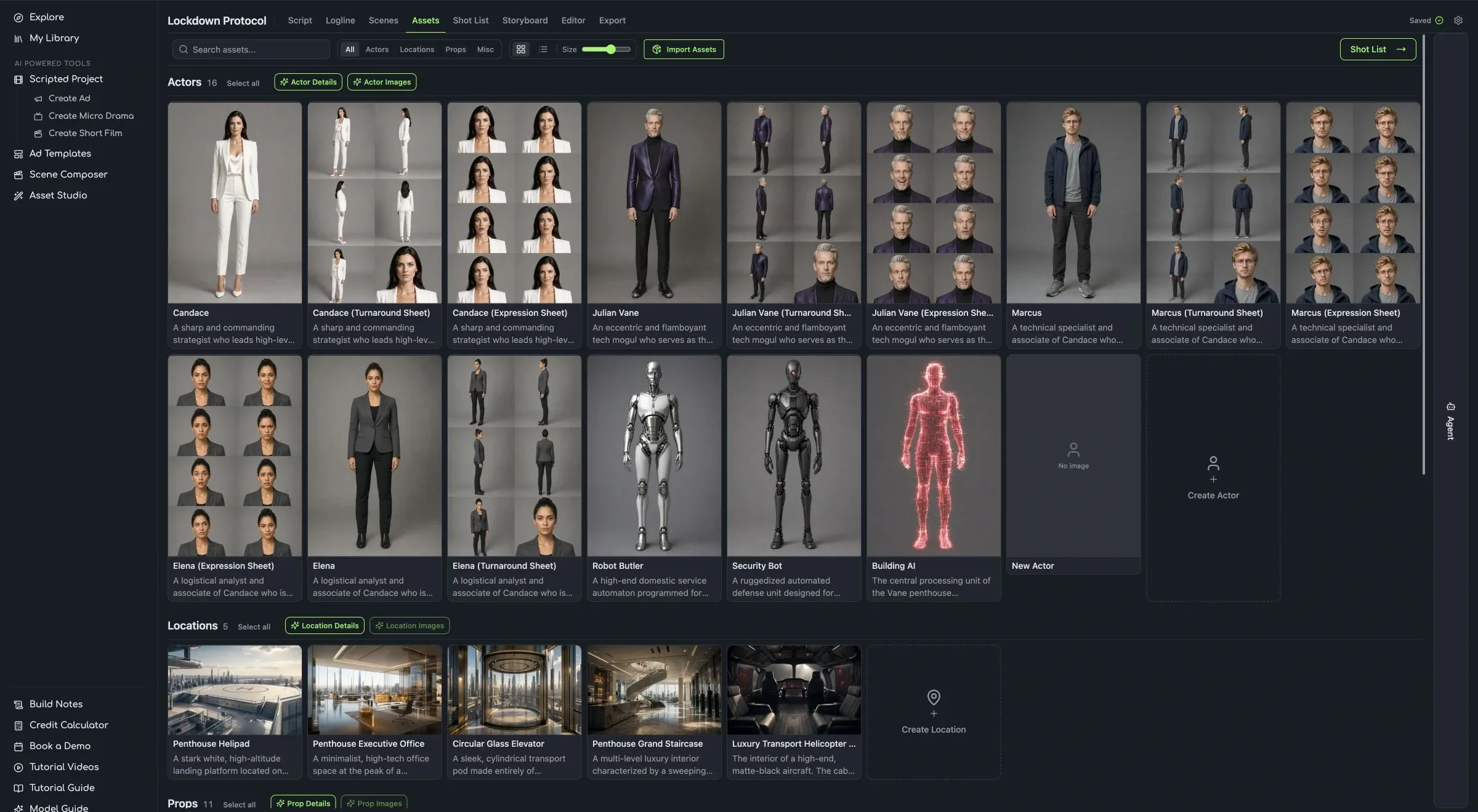
The shared Assets library: every actor and location, ready for anyone on the team.
The AI agent
An AI agent that plans the production with you.
Open the Agent from the right side of any project and tell it what you need. It suggests and you approve, so nothing changes in your project until you say yes.
Production Planning
Answer a few questions about format, models, staging and your lead actors. The agent lays out your cast, locations and sequences for you to approve.
Skills on call
Type / to run a skill: a character sheet, a location board, a storyboard panel, or a board turned into motion. Add your own skills as .skill or .md files.
Your choice of model
The agent runs on your credits by default, or on your own API key. Pro and Ultimate plans can switch it between Claude and ChatGPT.
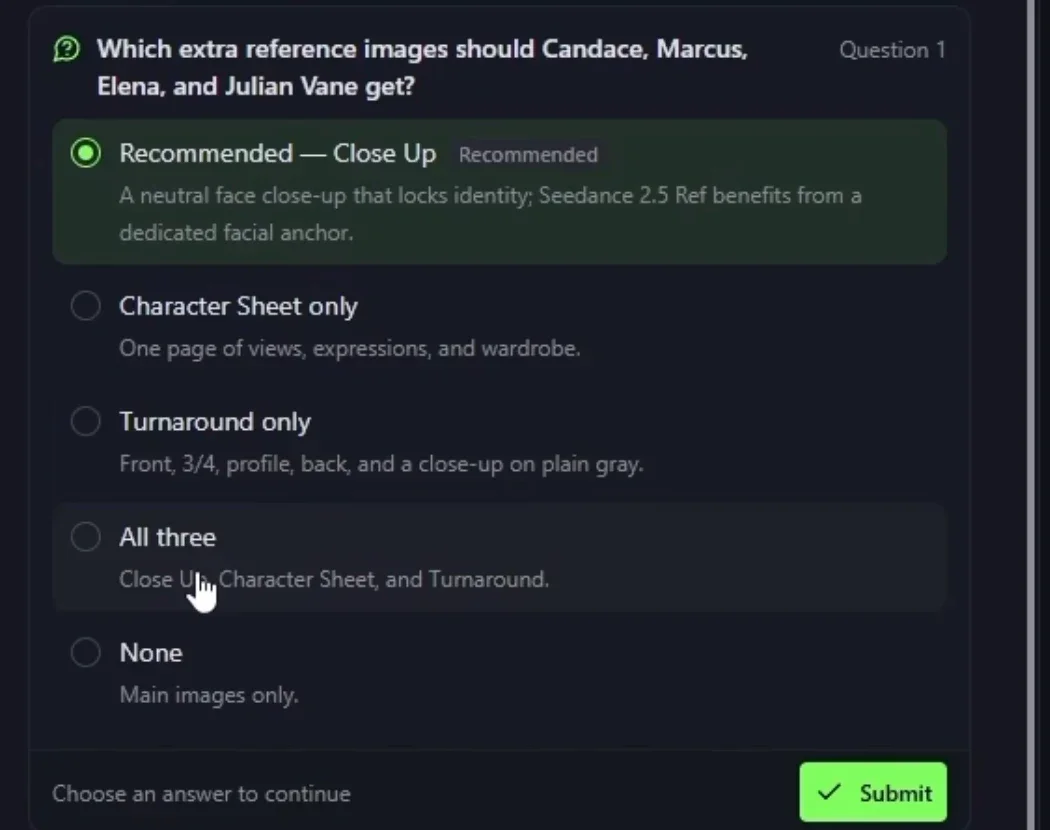
Production Planning asks before it builds anything.
The work
Made in FilmSpark.
Ad films and shorts produced end to end in the console.
For studios and production teams
Built for teams who have to answer for it.
Leadership controls access and spend, every shot carries its own record, and the coverage follows the production out the door.
Control what's used and what it costs
Your admin decides which models the team can reach and sees usage by project and by person. One shared credit pool, no per-seat pricing.
Every shot exports with its recipe
Export any production with each shot's prompts, model chain and references. The cut goes to Premiere or Resolve as an XML, named by your own convention.
Indemnification that follows the production
Enterprise clients are defended and indemnified against third-party IP claims on output from models cleared for production use. The coverage extends to distributors, financiers and streaming partners.
Security you can check
A written security program structured on NIST CSF 2.0. All model inference runs through fal.ai, which holds a SOC 2 Type II report, and our own SOC 2 Type II audit is in progress. We don't train models on your projects, prompts, assets or outputs.
Models
Every leading model in one console.
Pick the right model for every shot, from photoreal to stylized. New models are added as they ship.


Plus Grok, Runway, PixVerse, LTX and more.
FilmSpark.ai was founded by industry veterans from Lucasfilm and ILM. We're building decades of cinematic production experience into a platform that rethinks how stories are told with AI.