
For filmmakers & studios
Direct the whole film, shot by shot.
Script, storyboard, cast, voice, music and the cut, in one console. Your lead looks the same in shot 1 and shot 50.
Why filmmakers use FilmSpark
Built around the story, so every shot knows what came before it.
FilmSpark keeps your characters, look and narrative together across the whole project, so shot 40 still knows what happened in shot 3.
Script to screen
Start from a logline or a formatted screenplay. FilmSpark breaks it into scenes and shots, then builds storyboards you can direct from.
A cast that stays in character
Build actors from photos or prompts. They're saved as reusable profiles with reference images, so a face holds across angles, wardrobe changes and scenes.
Pick the model per shot
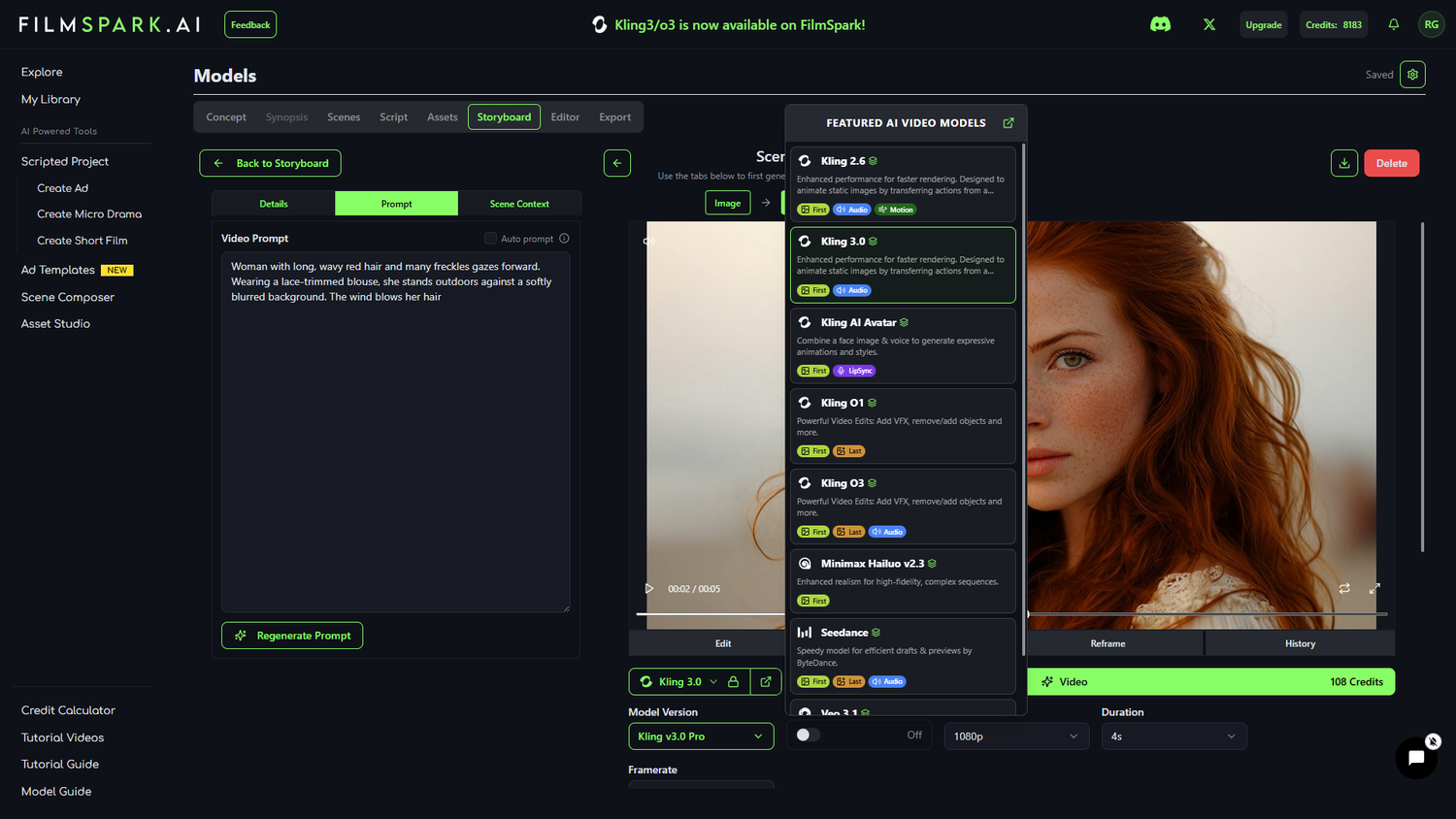
Use a photoreal model for the close-up and a stylized one for the dream sequence, in the same project. Switch any time without rebuilding.
See the model listSound lives with the picture
Voices, music and lip sync sit alongside your shots. Bring your own ElevenLabs voice by Voice ID and a character sounds the same in every scene.
“For our recent vertical microdrama project, FilmSpark.ai stood out against every other AI filmmaking platform we evaluated.”
Charlie Fink
VP, Production, Walt Disney Pictures. Producer. Professor, Chapman University Dodge Film School. Writes about cinematic AI for Forbes.
“I refer to FilmSpark as my writing partner, and together we've written some incredible stories that would not be possible on my own.”
Steve Sowrey
Multimedia Designer, Miro
How it works
From idea to final cut in three steps.
You make the creative calls. FilmSpark handles the model wrangling.
-
1
Start with a concept or a script
Pitch an idea to the Co-Pilot or drop in a formatted screenplay. FilmSpark builds out the scenes, shots and characters.
-
2
Cast it and set the look
Design your characters from photos, then lock a visual style for the whole project: lighting, color grade and film grain. Preview scenes before you generate video.
-
3
Generate and finish
Generate shot by shot, assemble in the built-in sequencing editor, then export an XML to Premiere or Resolve for finishing.
For studios & production teams
Something a production department can absorb.
Pre-vis, pitch material and proof-of-concept scenes, with the records and protection a studio needs before anything goes out the door.

Pre-vis and pitch material
Turn a script into boards and proof-of-concept scenes for a pitch, before you've cast or crewed a single day.
Every shot exports with its recipe
One export carries every actor, location and prop, plus each shot's prompts, model chain and references. When someone asks how a shot was made, you send the file.
It ends in the cutting room
XML for Premiere and Resolve, with every clip named by your own convention: project, scene, shot index, format and model. Footage lands the way your assistant editor expects.
Coverage that follows the production
For output from production-cleared models, we defend and indemnify against third-party IP claims. It extends to financiers, distributors, broadcasters and streaming platforms.
Your next film starts here.
Start free and build your first scene today, or talk to us about workspaces for your studio.
Need it produced for you? FilmSpark Studios, our in-house creative team, takes projects from concept to delivery. Ask about Studios